vue实现顶部菜单栏,同一个页面两个菜单按钮之间的切换
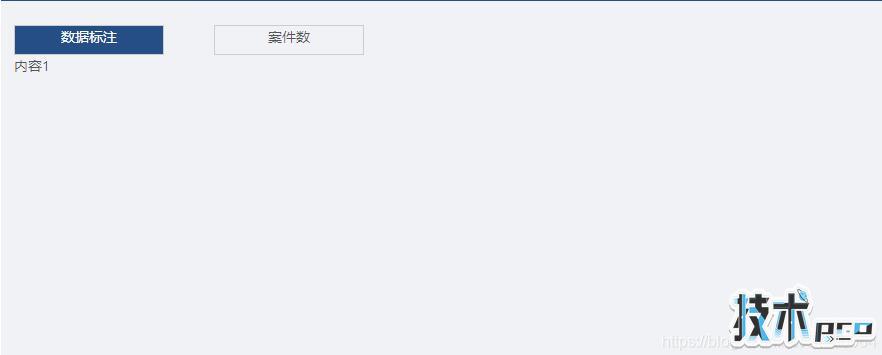
先看展示结果:
点击第一个按钮,显示内容1 点击第二个按钮,展示内容2

<template><div> <div class="tab-content"> <div class="tab-content1" @click="cur=1" :class="{active:cur==1}"><span>数据标注</span> </div> <div class="tab-content2" @click="cur=2" :class="{active:cur==2}">案件数</div> </div> <div class="tab"> <div v-show="cur==1"> <div>内容1</div> </div> <div v-show="cur==2"> <div>内容2</div> </div> </div></div></template><script>export default { data () { return{ cur:1 } },methods:{ }}</script><style scoped>.tab-content .active{ background-color: #194e84 !important; color: #fff; }.tab-content1{ text-align: center; cursor: pointer; width: 150px; height: 30px; border: 1px solid #ccc;}.tab-content2{ margin-top:-30px; text-align: center; cursor: pointer; margin-left:200px; width: 150px; height: 30px; border: 1px solid #ccc;}</style>分割线-----一个简单的按钮切换就完成了,思路very简单,实现特别方便,也很好用哦
:class="{active:cur==1}" 是选中菜单时改变样式的代码哦。