
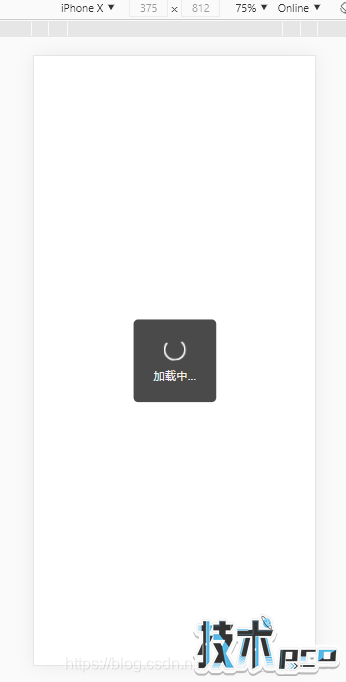
功能:发送网络请求时等待加载的圈圈动态显示,网络请求成功后关闭提示圈圈
代码:
index.html
<!DOCTYPE html><html><head> <meta charset="UTF-8"> <title>css画动态等待转圈效果</title> <link rel="stylesheet" href="public/index.css" rel="external nofollow" ></head><style type="text/css"> .toast { display: none; position: fixed; flex-direction: column; justify-content: center; align-items: center; width: 18rem; height: 18rem; left: 50%; top: 50%; transform: translate(-50%, -50%); background-color: #4A4A4B; border-radius: 1rem; color: #f0f0f0; font-size: 2.5rem; } .load { display: inline-block; margin-bottom: 1.5rem; height: 4rem; width: 4rem; border: 0.4rem solid transparent; border-top-color: white; border-left-color: white; border-bottom-color: white; animation: circle 1s infinite linear; -webkit-animation: circle 1s infinite linear; /* Safari 和 Chrome */ border-radius: 50% } @-webkit-keyframes circle { 0% { transform: rotate(0deg); } 100% { transform: rotate(-360deg) } }</style><body><div> <span></span> <span>加载中...</span></div><script src="public/jquery.min.js"></script><script> $(function () { $(&#39;.toast&#39;).css({display: &#39;flex&#39;}) //这里可以写网络请求代码... $.ajax({ url: &#39;/api/login&#39;, type: &#39;POST&#39;, data: {username: &#39;111&#39;}, dataType: &#39;json&#39;, success: function (data) {//请求成功则关闭圈圈 $(&#39;.toast&#39;).css({display: &#39;none&#39;}) }, error: function (e) { console.log(e) } }) });</script></body></html>效果:
到此这篇关于jquery实现加载更多“转圈圈“效果的文章就介绍到这了。
您可能感兴趣的文章:
- jquery实现ul列表中点击li选择radio
- jquery.qrcode.js生成二维码并转成图片格式
- 如何在vue 中引入使用jquery
- jQuery实现移动端扭蛋机抽奖
- jQuery zTree如何改变指定节点文本样式